
Stay Connected
JOIN THE GROUP To stay fully connected, scan the code opposite on your mobile phone to join our WhatsApp group. Alternatively use this link to opt-in https://chat.whatsapp.com/EVwdyoapGJjKNBGwF328Ol On the announcements page, you will receive all essential updates regarding your account, including a weekly listing of what is coming in our boxes, details on any specials and offers and occasional news from the farm. We do our very best to limit messages to once a week. However, in exceptional circumstances they may be more frequent. WWHATSAPP ETIQUETTE The group has two sections. Announcements as outlined above and a general page. The general page is a place to share recipes and tips about using box produce. HOWever, please keep in mind that we have over 700 members and constant notifications can be annoying. We ask all members to limit chat on the groups and to post relevant information. We also ask that the group not be used as a way to message admin. Rather, use the contact details listed on the site, or in an urgent situation, call us. OPTING OUT If you only want the announcements and not the member generated content, you can opt-out of the general page and remain on the announcements page.
Managing Your Account
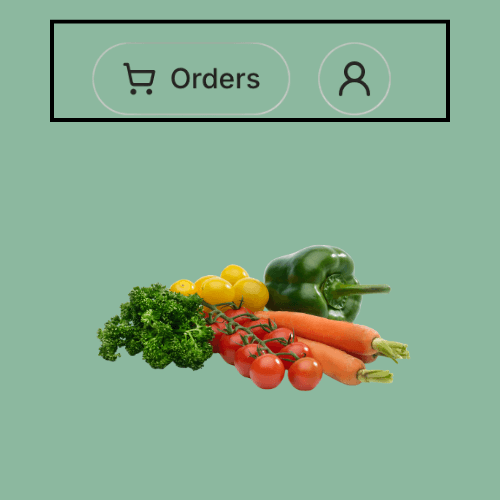
MANAGING ORDERS. Ooooby has many fabulous features with new ones added regularly. Essential among these are managing orders, adding pauses, and editing your selected box. To access orders, simply click on 'ORDERS' in the header menu. This will show you any upcoming orders, and here you can add pauses as required as well as editing order details. EDITING YOUR ACCOUNT Access your account via the account symbol, it is the human outline, head and shoulders on the right of your computer screen. The isde bar menu displayed is intuitive and allows you to alter our update your address. Your contact details, passwords etc. ADDING & MANAGING EXCLUSIONS. Adding exclusions is simple. On your account page, go to DISLIKES, and type in the name of veg you absolutely will not use. You are allowed a maximum of exclusions, but you can edit them as often as you like based on the upcoming box contents.
How Ooooby Handles Payments
It is a simple thing but is causes some confusion. So here's the explainer. When you sign-up with us, as a one-off customer, or a subscriber, you pay via Stripe™. Your card details are stored securely by Stripe and future purchases are charged to it. On your first purchase, you will go through the normal checkout process and add your card details. You will then be charged immediately. For all subsequent orders, you simply add items to your existing account, there will be no check-out process. You will not be charged until you order is built and ready for dispatch. This usually happens on the same day as delivery. THE RATIONAL BEHIND THIS SYSTEM OF BILLING If on the rare occasion we arrive at packing day and are short on something you ordered, and can't offer a suitable replacement, we can simply remove it from your order, and you will not be billed for it. IMPORTANT: If you are browsing our shop as an existing customer and accidentally click an item, it will be added to your next order. Always check your order before leaving the site, remove any items you may have ordered in error. It doesn't happen often, but it does occasionally.
Customise with Add-Ons
Every order must contain one of our set boxes. You can chose to place a once off order but most customers select a weekly or fortnightly subscription. We also offer an extensive range of farm to fork add-ons. INCLUDING ADD-ON ITEMS TO YOUR ORDER. AND HOW THEY ARE BILLED. If you are a first time customer, and placing a once-off order, include add-ons before going to checkout. Your will be billed on the the day you place your order. If you are a returning customer, with a veg box already ordered, then you can add to it simply by clicking any item in our shop. As your billing details are already on Stripe, you will not be billed until your order is built and ready for dispatch, this will normally be on the same day as we deliver. If you have a weekly subscription, you can include add-ons at any time. You can select to include them as once-off, weekly or fortnightly. If you are a fortnightly subscriber, you can include add-ons as a once-off or fortnightly, but not weekly.